From Development to Real Orders: Our New Smart Butt Fusion Data Logger Enters Field Validation
- Share
- publisher
- RUBR
- Issue Time
- Aug 19,2026
Summary
Welping’s new smart butt fusion data logger is entering real-order validation, with upgraded touchscreen operation, real-time temperature and pressure monitoring, flexible data management, remote support, and both wired and AP/Wi-Fi configurations.
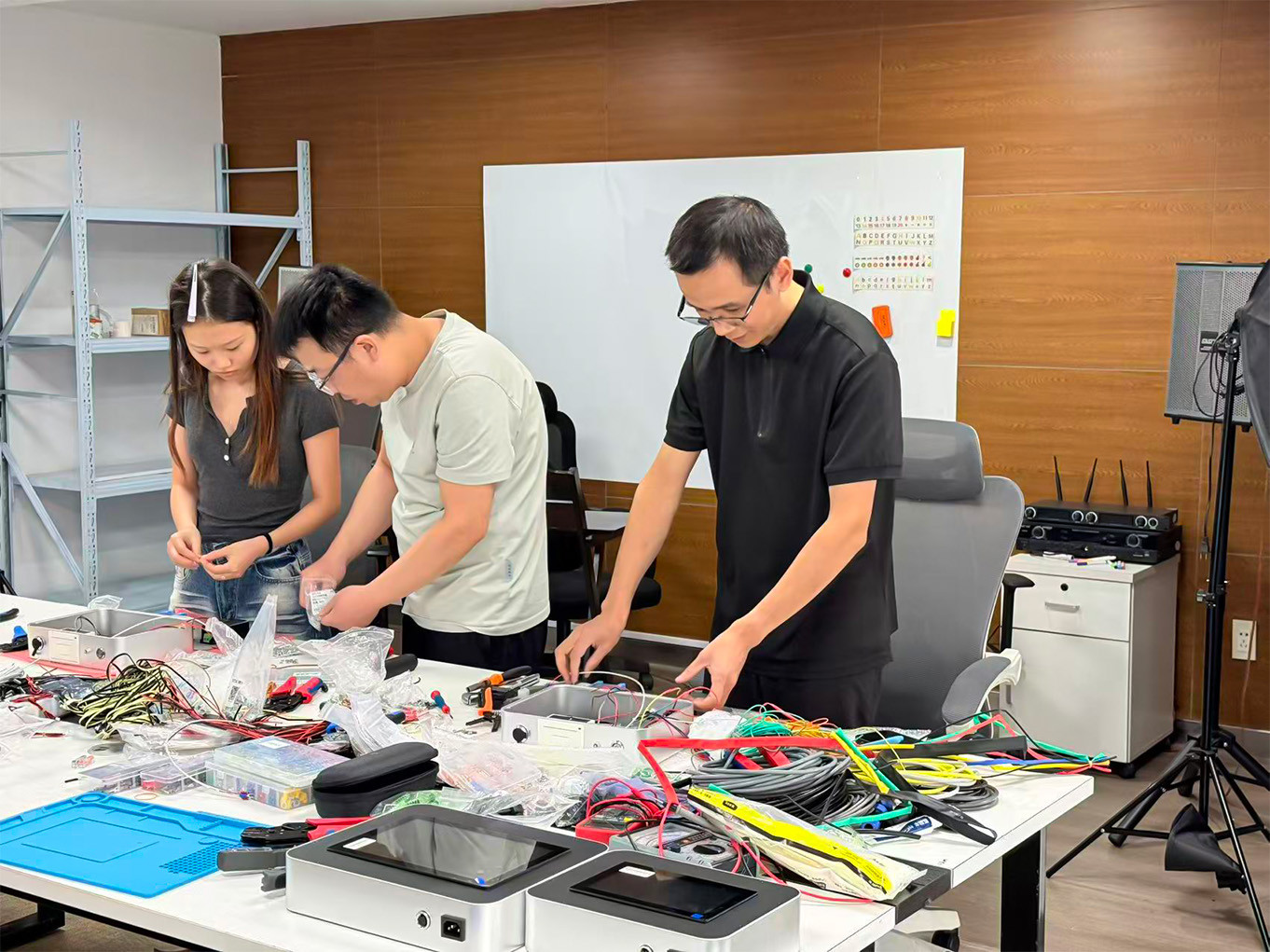
We have recently been working on a new generation of smart data logger for butt fusion welding machines.
The system has already been included in several customer orders and is now moving into the installation and delivery stage. However, we still do not consider it a fully finalized product.
At this stage, we want to see how it performs in real working conditions — how stable it is, how operators use it, which functions prove genuinely useful, and what feedback comes back from customers.
Compared with the conventional data loggers commonly available on the market, this project is not simply about fitting a larger screen onto an existing system. We have been rethinking how a data logger should display information, manage welding records, support operators, and fit into day-to-day butt fusion work.
Why Rethink the Traditional Data Logger?
Traditional data loggers already perform the basic job of collecting and storing welding data. But over time, we have also seen some practical limitations.
Many conventional units still use resistive touchscreens with single-point touch. They work, but finger operation is not always as smooth or responsive as users now expect.
The software and hardware of many traditional systems are also relatively fixed. Once the unit is completed, there is often limited room for later software updates, hardware changes or customized configurations. Display sizes are usually limited as well.
None of this means that conventional data loggers cannot do the job.
But as customers place greater importance on welding traceability, easier operation, data management and technical support, we believe there is still plenty of room to improve the overall experience.
That is why we decided to redesign the system from a more practical starting point.
A Better Screen and a More Natural Way to Operate
The new data logger uses a capacitive touchscreen with multi-touch support.
Compared with the resistive screens commonly used on older systems, operation feels much closer to using a modern smartphone or tablet.
The larger display also makes welding information easier to read, including pressure, temperature and other process data.
The interface supports multiple languages, allowing users from different markets to switch to the language that suits them best.
Different display sizes can also be configured for different machines and applications instead of relying on a single fixed format.
These may sound like relatively small improvements, but in real field use, clear information and easy operation make a noticeable difference.
Temperature and Pressure Are More Than Just Numbers
The core job of a welding data logger is still to record temperature and pressure.
But instead of showing only individual numerical readings, the new system can also display changes in temperature and pressure as real-time trend curves.
This allows the operator to see how the data changes throughout the welding process.
Rather than checking one pressure value or one temperature reading at a time, the operator can observe whether pressure remains stable or whether temperature fluctuates during the cycle.
It makes the process easier to understand at a glance.
From Recording Data to Managing Welding Records
Recording welding data is only the first step.
For real projects, the information also needs to be stored, exported, printed and archived in a practical way.
The new system provides significantly more storage capacity for welding records.
Data can be exported conveniently through USB, making it easier to transfer records to a computer or other storage device.
Multiple backup options are also supported, including USB drives and TF cards. Even with the larger storage capacity, we still recommend regular backups, especially on long-term projects or where a large number of joints need to be recorded.
Printing is also more flexible.
Users can print a single welding record when needed, or select multiple records for batch printing, which can be useful for project documentation and acceptance records.
The goal is not simply to collect more data, but to make that data easier to use afterwards.
More Than a Data Recorder
Another direction we have focused on is helping the system become more useful during the welding process itself.
The new data logger can provide operating guidance to help users work through the welding and inspection process step by step.
For an experienced operator, this may simply serve as a convenient reference. For someone who is less familiar with the machine or the welding procedure, it can help make the process easier to follow and reduce the chance of missing an important step.
The software can also be updated remotely.
If a software issue is identified later, or certain functions need to be adjusted, many changes can be handled online instead of depending entirely on hardware replacement.
Remote technical support is another part of the system. When customers encounter setup, calibration or software-related issues, our technical team can assist with troubleshooting and adjustment remotely where possible.
The startup screen can also be customized with a customer's logo or brand information, which may be useful for distributors, OEM customers and private-label projects.
At this point, the system is gradually becoming more than a conventional data logger. It is moving toward a broader welding data and operator-support platform.
Wired and AP/Wi-Fi Versions: Two Different Ways to Work
We are currently developing two versions of the system.
The first is the wired version.
The display is connected directly to the hydraulic unit by cable and normally stays close to the machine during operation. This approach is straightforward, stable and familiar to operators who are used to conventional data loggers.
The second is the AP/Wi-Fi version.
The important difference here is not simply the absence of a cable. Instead, the data acquisition side and the display side are separated.
One module remains connected to the hydraulic unit to collect and transmit welding data, while the display becomes an independent portable terminal.
The operator can hold the screen like a small tablet and check pressure, temperature and other live welding information from different positions around the machine.
This can be especially useful around larger butt fusion machines or on sites where the operator does not want to remain in one fixed position beside the hydraulic unit.
Both versions are still being evaluated in real applications, and customer feedback will help us determine how each configuration should continue to develop.
Every Unit Is Built One Detail at a Time
This system was not created by taking an existing data logger and simply changing the software.
Many details had to be worked out from the beginning.
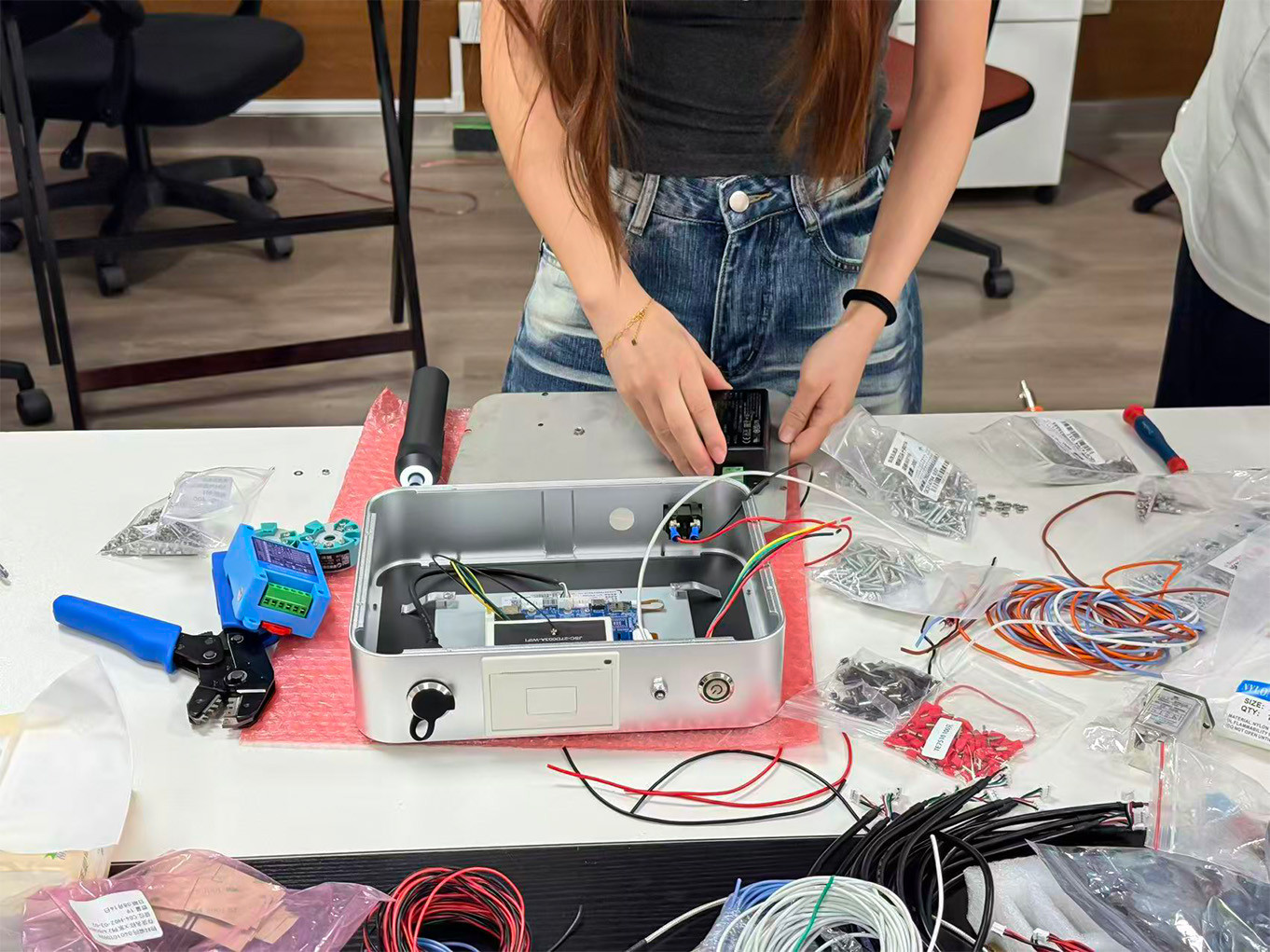
Where should the openings in the enclosure be made?
Where should each connector be positioned?
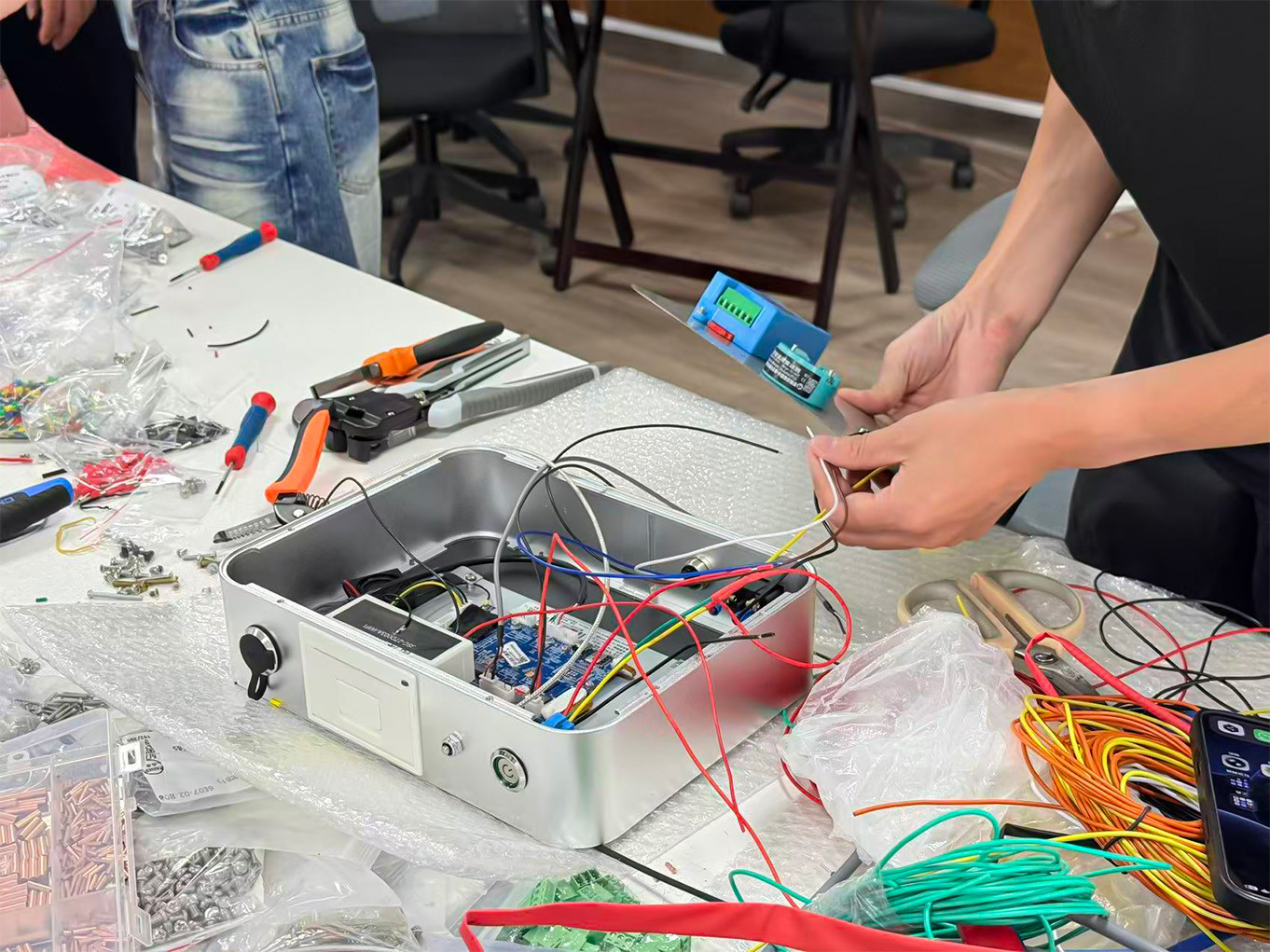
How should the wiring be routed?
Where should the internal modules be installed?
How can the unit be made easier to assemble, service and maintain later?
These may look like small details from the outside, but once the product is put into real use, they can have a direct effect on reliability, maintenance and usability.
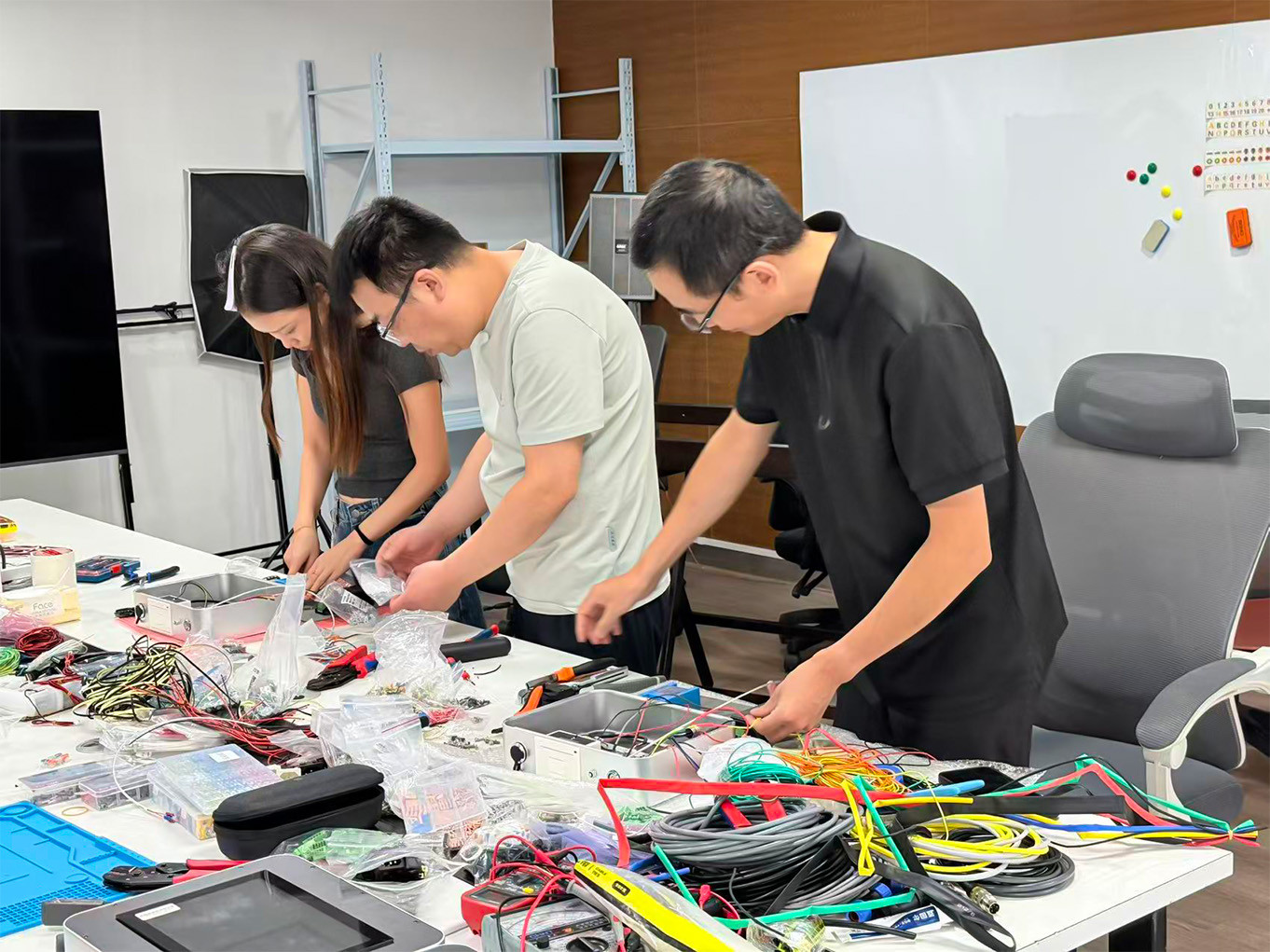
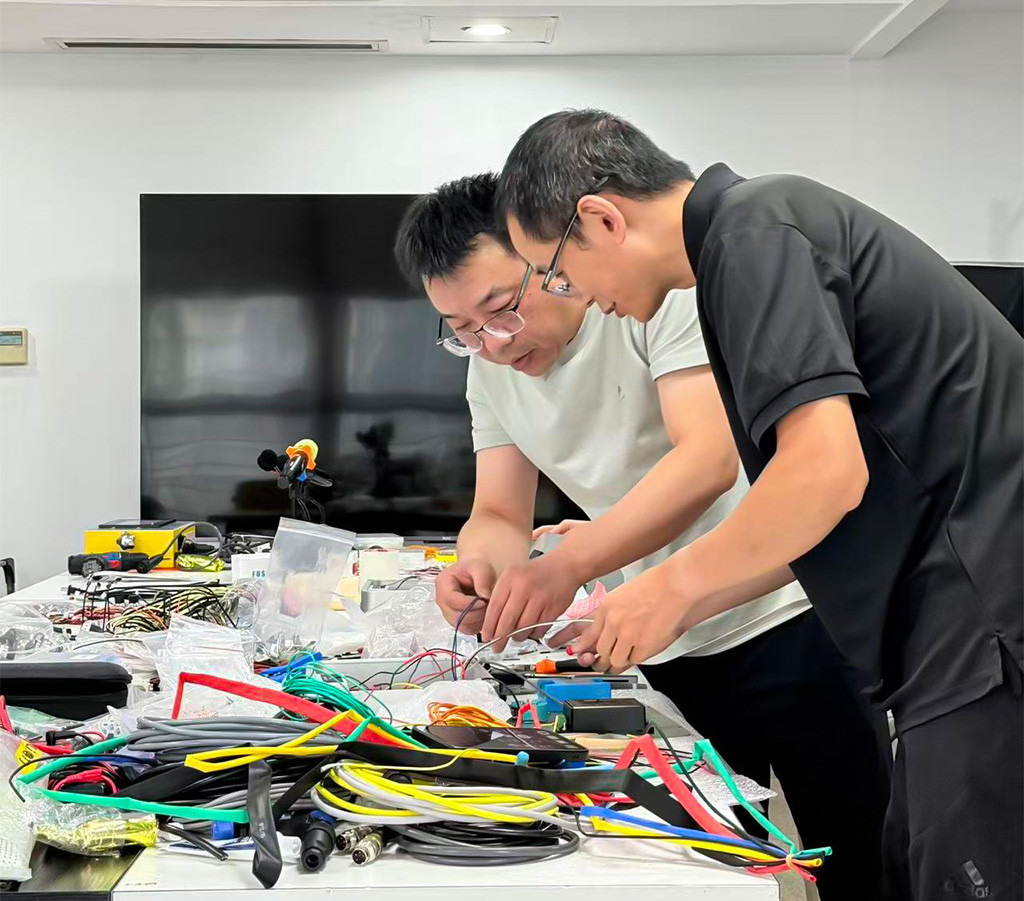
The installation work shown in these photos is therefore also part of the development process.
Each unit entering an actual customer order has to go through assembly, wiring, setup and inspection before delivery.
Much of this work will never be seen by the final user, but it is exactly this kind of detail that determines whether the system performs reliably afterwards.
When the Sales Team Joins the Assembly Bench
As real orders began moving into the installation stage, the engineer responsible for developing the system has also been training our sales managers on the basic installation process.
Where does each cable connect?
What does each module do?
How is the internal layout arranged?
These are things that are difficult to fully understand from a specification sheet alone.
For that reason, some members of the sales team have also been helping with basic assembly and organization work while learning how the system is put together.
The core installation, system setup, debugging and final inspection are still handled by the technical team.
For our sales team, however, this is also a practical form of product training.
Once you have seen the system open, followed the wiring and participated in the installation, it becomes much easier to understand why certain design decisions were made and how the product actually works.
Sometimes, understanding a machine means more than memorizing its features.
It means knowing what is happening inside it.
Some Functions Stay Behind the Scenes
The new system also includes a number of more technical configuration options.
For example, certain hydraulic cylinder parameters can be adjusted to suit different machine configurations, while temperature and pressure readings can be calibrated and corrected when required.
These are not settings that most operators need to use every day, so we do not currently treat them as headline features.
However, they can be useful for machine matching, technical setup, calibration and later maintenance.
Our intention is to keep everyday operation as simple as possible while still providing the deeper configuration options needed by technicians and service personnel.
It Is Not the Final Version Yet
Although the new data logger has already entered real customer orders, we still regard the current stage as part of the development and validation process.
Workshop testing is important, but a product ultimately has to prove itself in real working environments.
Different countries, different job sites, different machines and different operators can reveal things that may not appear during development.
Over the coming period, we will continue paying close attention to system stability, ease of use, data management and the functions customers actually use most often.
If something works well, we keep it. If something feels inconvenient, we improve it.
And some functions that look useful today may need more real-world experience before we know how valuable they truly are.
So we are not in a hurry to call the current system the final version.
The first units are already moving from the development and assembly bench into real customer orders. The next step is to listen, observe and continue improving.
For us, developing a smarter data logger is not simply about recording more numbers.
The real goal is to make welding data easier to understand, easier to manage and more useful in actual butt fusion work.